


Cooking Diner: Chef Game
4.72.25K Reviews
App Specs
- Version
- 1.26.12.1363
- Updated On
- License
- Free
- Downloads
- 10,000,000+
- Developer
- gameone
- Categories
- Arcade
- Platform
- Android, iOS
Screenshots
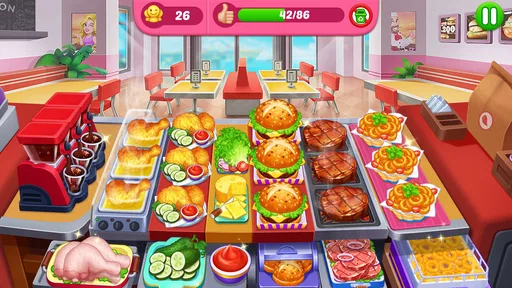
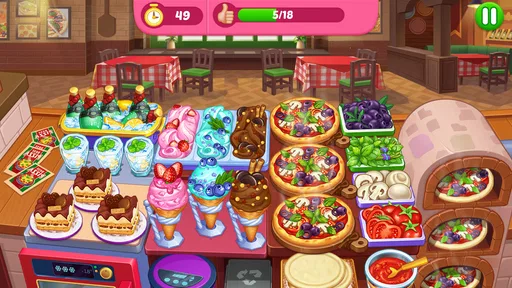
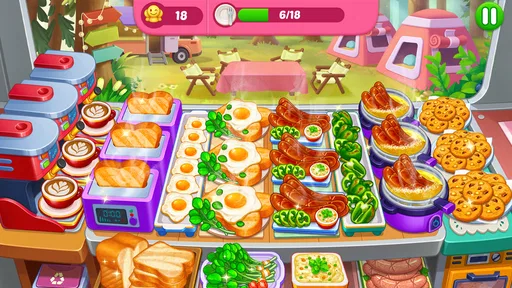
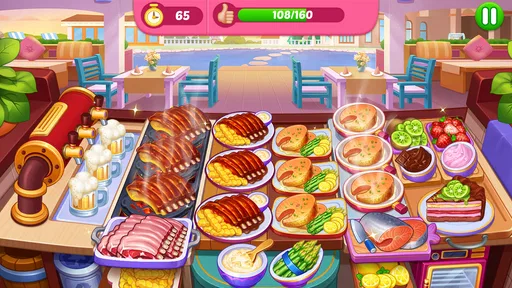

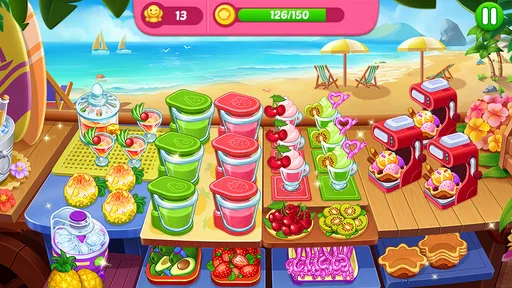
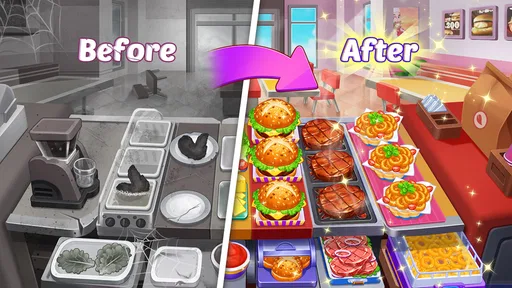

 Analysis by AppCompare
If you’re trying a restaurant game for the first time, Cooking Diner: Chef Game is easy to understand at a glance: you serve food, keep customers moving, and gradually take on more to do. I like that the basic appeal is clear without needing to know much about cooking games beforehand. It is an arcade game from gameone, and its quick, hands-on style suits a short break better than a slow, elaborate simulation.
What to expect from the kitchen rush
The main pleasure is juggling small tasks under time pressure. You prepare dishes, respond to customers, and try not to let one missed action disrupt the whole flow. That creates a satisfying rhythm once you know where to tap, but it also means the game asks for attention rather than serving as background entertainment. If you want something you can leave running while doing something else, this is not the best fit.
Its appeal is reflected in a 4.7 average from around 310,000 ratings, and it has passed 10 million installs. Those figures suggest a broad audience, but the more useful question is whether this particular loop fits your habits. I’d recommend it to someone who enjoys quick arcade rounds, visible progress, and the feeling of improving a little each time. Players looking for a deep restaurant business simulator, a calm puzzle, or a story-led game may prefer something else.
Your first minutes and first win
After installing, start with the tutorial and treat it as practice rather than something to rush through. Pay attention to the order in which the game asks you to handle ingredients and serve dishes. In a time-management game, learning that sequence is more useful than tapping as fast as possible. Once the first orders arrive, focus on completing them cleanly; a steady rhythm is a better foundation than trying to optimize every move straight away.
A practical first success is finishing a round while keeping your attention on the next task, not just the order currently in front of you. I find that it helps to glance across the kitchen before committing to an action, then group together steps that are already ready to handle. This small habit can reduce frantic backtracking. The game’s simple touch controls make the idea easy to apply, although busy levels can still feel demanding if you are playing on a small screen or with one hand.
Learning the pace without getting overwhelmed
As new recipes and demands appear, resist the urge to treat every round like a speed test. First learn which actions you tend to forget, then build a repeatable order of attention around them. For example, I’d check for an item that needs time or a follow-up step before serving the easiest ready dish. That is a general way to stay organized in the kitchen rush, not a claim that every recipe follows the same process.
There is a trade-off in this design: the growing pace keeps familiar actions lively, but it can make a session feel tense rather than relaxing. If you are tired or simply want a low-pressure game, play for a short stretch and stop when the screen begins to feel hectic. That is a better way to enjoy an arcade cooking game than forcing a long session and turning a cheerful challenge into a chore.
Worth Reading Before You Choose

EA SPORTS FC Mobile 26 Is a Bigger Football Game, but It Takes Time

Flipboard Shows What News Apps Must Do Beyond the Feed

Switching to Android Auto Means Rethinking Your Driving Routine

Google Calendar Makes a Crowded Week Easier to Manage

Ludo King Makes the Most of the Minutes Between Plans

Baby Panda World Brings Quick Play to Modern Phones, but Its Game Library Feels Busy
How it compares with other cooking games
Compared with slower cooking or restaurant-management games, this one puts more weight on quick reactions and compact rounds. That makes it a handy choice when you have a few minutes to spare, such as waiting for a ride or taking a short break between tasks. A detailed management game is a better choice if you mainly want to plan menus and finances at a leisurely pace; a simple matching puzzle is better if you want something that asks less of your hands and attention.
The comparison also helps set expectations about progress. The game combines serving with restaurant development, so it offers more variety than a single-action arcade title, but its central satisfaction still comes from handling a rush. I would not choose it for a long, uninterrupted narrative or for realistic cooking instruction. Think of it as a brisk game about coordinating tasks, with food and restaurant growth giving that loop its theme.
Getting Started in Your Virtual Kitchen
Downloading Cooking Diner: Chef Game was a breeze, and once I launched it, I was greeted with a colorful and inviting interface. The game kicks off by walking you through a quick tutorial, which is perfect for newbies. You start with a small diner, and your goal is to whip up delicious dishes while keeping customers happy. The controls are intuitive, with taps and swipes that mimic real-life cooking actions. Trust me, even if you have zero culinary skills, you’ll feel like a pro chef in no time.
The Menu: A Culinary Adventure
The game features an array of recipes ranging from simple burgers to intricate sushi rolls. What I love is the diversity of the dishes you can create. Each level unlocks new recipes, and there’s something incredibly satisfying about mastering each one. The progression system is well-paced, ensuring you never feel overwhelmed. As you advance, the difficulty ramps up, requiring faster service and more complex dishes. It keeps you on your toes and makes for an engaging experience.
Managing Your Restaurant
Beyond just cooking, you also get to manage your restaurant. You can upgrade your kitchen equipment, decorate your diner, and even expand to new locations. This aspect adds a strategic layer to the game. Balancing the desire to improve your service with the need to save up for upgrades keeps things interesting. It’s a bit like playing a management sim, and it’s where the game really shines.
Graphics and Sound: A Feast for the Senses
The vibrant graphics are a highlight, making every dish look mouth-wateringly good. The animations are smooth, and the attention to detail is impressive. Each ingredient is distinct, and the cooking process is visually satisfying. The sound design complements the visuals perfectly, with sizzling sounds and cheerful music that enhance the overall ambiance. It’s the kind of game you can easily get lost in for hours.
Social Features and Connectivity
If you’re someone who enjoys a bit of competition, you’ll appreciate the game’s social features. You can connect with friends, compete in cooking challenges, and share your progress on social media. It adds a layer of community to the game, making it more than just a solo experience. It’s always fun to see how you stack up against your friends!
Free-to-Play with In-App Purchases
The game is free to download, which is a huge plus. However, like many mobile games, it includes in-app purchases. You can buy gems to speed up progress or purchase exclusive items. While it’s possible to enjoy the game without spending a dime, the option is there for those who want to enhance their experience. I found that with patience, you can still progress nicely without spending money.
Choosing upgrades and managing spending
Restaurant upgrades are most useful when they answer a problem you have actually noticed. If a round feels difficult because service is falling behind, improving the kitchen may be more valuable than choosing a cosmetic change simply because it is available. If you enjoy decorating, that can still be part of the fun; I would just separate personal style from practical progress so you know what you are spending toward.
The game is free, with optional in-app purchases priced from 99 cents to $99.99 per item. I recommend treating purchases as optional rather than as a shortcut you need to make the game work. A useful rule is to play several rounds before buying anything: that gives you time to see whether you enjoy the core routine and whether a purchase would solve a real frustration. If you are a parent, the Everyone age rating does not change the fact that purchases are available, so it is worth checking your device’s purchase controls before handing it to a child.
A realistic way to fit it into the day
Imagine you have a few minutes while waiting for an appointment. A short session can give you a focused goal: handle a round, notice which part of the service slowed you down, and try a slightly better sequence next time. That is more satisfying than opening the game with no plan and tapping hurriedly until you feel overwhelmed. It also gives you a natural stopping point, which matters when a game’s rising pace makes “one more round” tempting.
For a longer session at home, I would play when I can give the screen my full attention. The kitchen loop rewards watching what is happening, and distractions can turn a manageable rush into a frustrating one. If you are interrupted, there is no need to treat a missed opportunity as a failure; put the game down and return when you can focus. This is an arcade game, not a test of your reflexes or a lesson in real restaurant work.
Small habits that make busy rounds clearer
One helpful habit is to keep your eyes moving instead of staring at a single customer or dish. A quick scan can reveal a task that needs attention before it becomes urgent. Another is to use the same mental checklist each round: what is ready, what needs another action, and what should be served next? It is a simple way to reduce avoidable mistakes without assuming that every level can be solved with one fixed pattern.
Also notice whether you are making errors because you do not understand the order of actions or because the pace is simply high. Those are different problems. If the steps are unclear, slow down enough to observe them; if you understand them but feel rushed, a short break may help more than repeated retries. This distinction keeps the game from feeling unfair and helps you decide whether you want to continue or switch to a calmer option.
Who will enjoy it, and who may want another game
I can see this working especially well for players who like tactile, fast-moving arcade games and enjoy turning a messy sequence into a smooth routine. It is also a reasonable pick for someone who wants a food-themed game without needing cooking knowledge. The game is rated for Everyone, so its broad age rating makes it approachable for families, while the quick decisions can still give older players a satisfying challenge.
I would steer away if you dislike time pressure, repeated actions, or games that ask you to keep track of several things at once. It is also not my first recommendation for anyone who wants realistic recipes, a quiet creative sandbox, or extensive business planning. Those players are better served by a cooking game built around experimentation or a management title that lets them think at their own pace. Knowing that distinction before installing is the easiest way to avoid expecting the wrong kind of experience.
Version, device, and what to expect next
The current version is 1.26.7.1351, and the game runs on Android 7.0 or later. If you are choosing between an older and a newer device, the practical question is whether the screen lets you see the kitchen clearly and tap comfortably during busy moments. I would avoid judging the controls from a quick first order alone; give yourself time to adjust to the layout before deciding whether the pace suits you.
One natural question is whether you need to pay to enjoy it. You can start for free, and purchases are optional, though they may appeal to players who want to speed up progress or buy items. Another is whether it works as a casual game: yes, in the sense that you can play in short bursts, but each round still expects active attention. The best expectation is a free-to-start arcade experience that mixes cooking tasks with restaurant growth, not a passive time-killer.
What I would do after the first few rounds
Once the tutorial feels familiar, I would focus on learning one new demand at a time instead of trying to master every recipe and upgrade at once. After a round, take a moment to identify the bottleneck: was it remembering a step, choosing what to serve first, or simply reacting to a faster pace? That answer gives you a concrete goal for the next attempt and makes progress feel earned rather than random.
If the loop clicks, keep sessions short enough that the challenge stays enjoyable, and spend only when you have decided what would improve your experience. If it does not click, there is no shortage of other styles within cooking games: slower recipe-focused options and more deliberate restaurant managers offer a different kind of satisfaction. For me, this one is most appealing when I want a bright, hands-on burst of arcade play and a small sense of progress without committing to a long story.
Cooking Diner: Chef Game offers a delightful escape into the world of culinary arts without the pressure of a real kitchen. Whether you’re looking to kill some time or dive into a full-blown cooking adventure, this app has something to offer. Its blend of management and cooking keeps it fresh and engaging. So, if you’re ready to don your virtual chef’s hat, give this game a try. You won’t be disappointed!
Pros
- Engaging gameplay with diverse recipes.
- Intuitive controls for easy navigation.
- Regular updates with new content.
- Vibrant graphics enhance player experience.
- Fun challenges keep players motivated.
Cons
- In-app purchases can be costly.
- Ads can interrupt gameplay frequently.
- Limited offline play options.
- Some levels may feel repetitive.
- Requires constant internet connection.
FAQs for Cooking Diner: Chef Game
What is Cooking Diner: Chef Game about?
Cooking Diner: Chef Game is a fast-paced time management game where players take on the role of a chef managing a bustling restaurant. The objective is to prepare various dishes quickly to satisfy customers and earn tips. With each level, the complexity increases, adding new recipes and challenges to keep players engaged.
Is Cooking Diner: Chef Game free to play?
Yes, Cooking Diner: Chef Game is free to download and play on both Android and iOS platforms. However, it includes in-app purchases that can enhance the gaming experience, such as buying additional coins or unlocking special items. These purchases are optional and not necessary to enjoy the core gameplay.
What are the main features of Cooking Diner: Chef Game?
Cooking Diner: Chef Game offers a variety of features, including hundreds of levels, diverse recipes to master, and different restaurant settings. Players can upgrade kitchen equipment, unlock new ingredients, and participate in special events. The game also provides social features, allowing players to connect with friends and compete on leaderboards.
Can Cooking Diner: Chef Game be played offline?
Yes, Cooking Diner: Chef Game can be played offline, making it convenient for users without constant internet access. However, some features, such as in-app purchases and social interactions, require an internet connection. Playing offline allows you to enjoy the core gameplay without interruptions.
What are the system requirements for Cooking Diner: Chef Game?
On Android devices, Cooking Diner: Chef Game typically requires Android 5.0 or higher, while iOS devices need iOS 10.0 or later. The game is optimized for a range of devices but performs best on newer models. It’s advisable to have sufficient storage space and RAM for smooth gameplay.


